Recording retention
Risenoow keeps each technical interview video for a number of days that you choose, then deletes it automatically. You set the number once for the workspace in Settings, anywhere from 7 to 365 days, and every candidate is told that number before they agree to be recorded.
Where: Settings in the left menu, Voice interviewer card, Keep technical interview videos for
Who can use it: Workspace admins only
Time needed: Under a minute
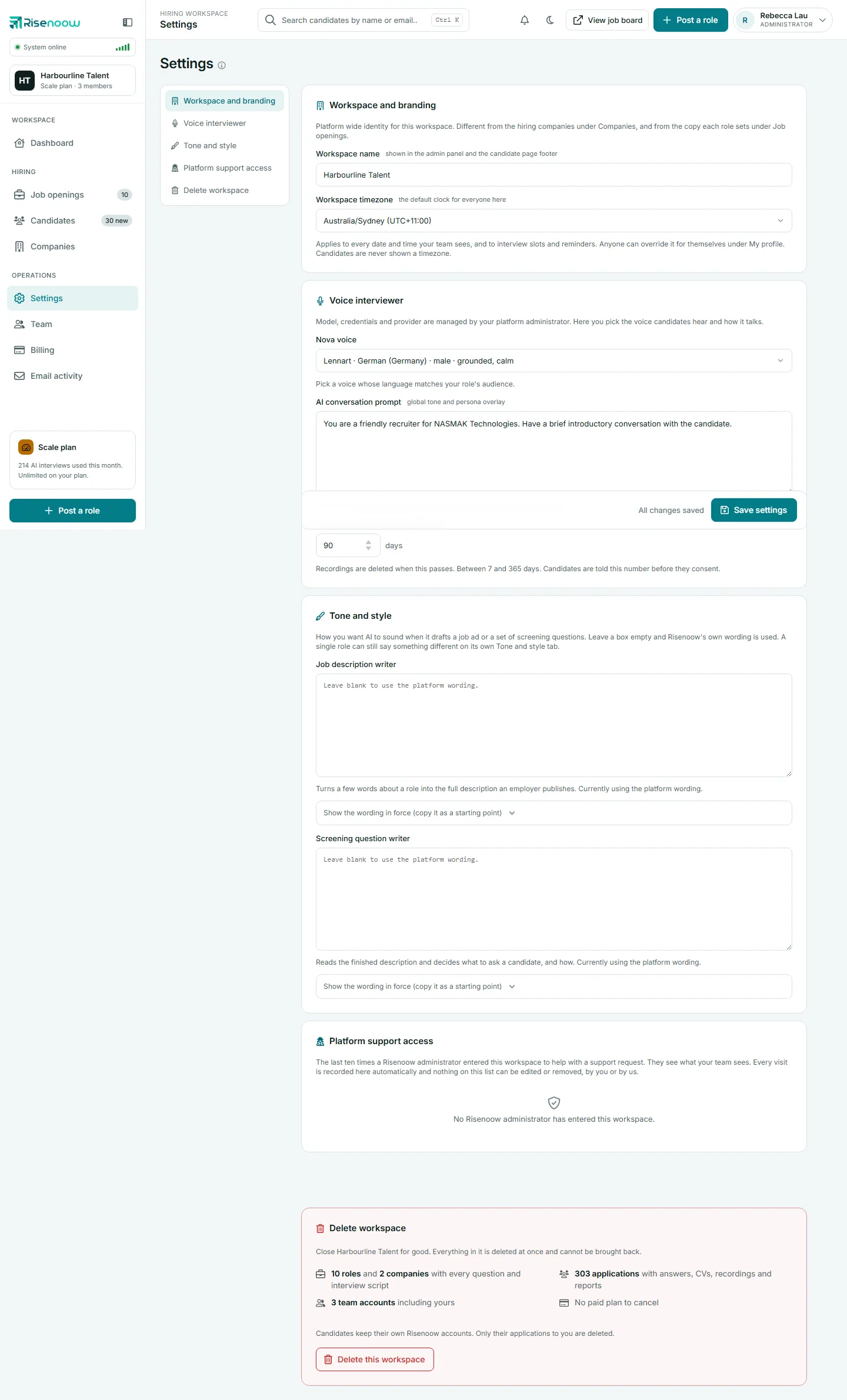
What this setting covers
The setting is labelled Keep technical interview videos for. It applies to the second stage technical interview, the one held with the camera on after shortlisting. When the time passes, Risenoow deletes the video and the sound recording of that interview. Both are kept for the same number of days.
The setting does not change anything else on the candidate's record. Deleting an application removes its recordings straight away, together with everything else in it. See Decline or delete.
Set the number of days
- Open Settings in the left menu and select Voice interviewer.
- Scroll to Keep technical interview videos for.
- Type a number of days between 7 and 365.
- Select Save settings at the bottom of the screen.
A new workspace starts at 90 days. The box needs a value, so it cannot be left empty.
What candidates are told
Before a technical interview starts, the candidate is asked for consent to be recorded, and the consent names your number of days. Risenoow stores that number with the consent. This matters when you change the setting:
| You change the setting to | Interviews already consented to | Interviews consented to afterwards |
|---|---|---|
| A shorter period | Keep the number the candidate was told | Use the new, shorter number |
| A longer period | Keep the number the candidate was told | Use the new, longer number |
In short, a recording is never kept longer than the candidate was told when they agreed.
When the clock starts
The days are counted from the end of the interview. A video from an interview that ended on 1 March, with a 30 day setting, is deleted shortly after 31 March. Deletion runs automatically in the background, so you do not need to do anything.
Choosing a number
- Shorter periods, such as 30 days, collect less personal data and suit most hiring decisions, which are made within a few weeks.
- Longer periods suit roles where a decision takes months, or where a second panel watches the video later.
- Check your own privacy policy and local law. Many organisations already have a rule for how long interview material is kept, and this setting lets you match it.
Good to know
Watch or note what you need from a video before it is deleted. Once deleted, a recording cannot be brought back.
Frequently asked questions
Does this setting delete the first voice interview too?
The setting is for technical interview videos, as its label says. It does not change how the first screening interview is stored.
Can I keep one candidate's video longer than the rest?
No. One number applies to every technical interview in the workspace, and each recording follows the number its candidate agreed to.
What happens to recordings if I delete the workspace?
They are deleted with everything else in the workspace, straight away. See Delete a workspace.
Why can I not set less than 7 days?
The setting accepts 7 to 365 days. A number outside that range is brought back inside it when you save, so pick the period you actually want within those limits.