Reorder questions
Risenoow asks a role's questions in the order you set. On the Questions tab you can drag a question into place, or move it one step at a time with the arrow buttons, which also work from the keyboard. Every change saves straight away.
Where: A role's Questions, Voice interview or Technical interview tab
Who can use it: Admins and recruiters (recruiters on their own roles)
Time needed: A few seconds per move
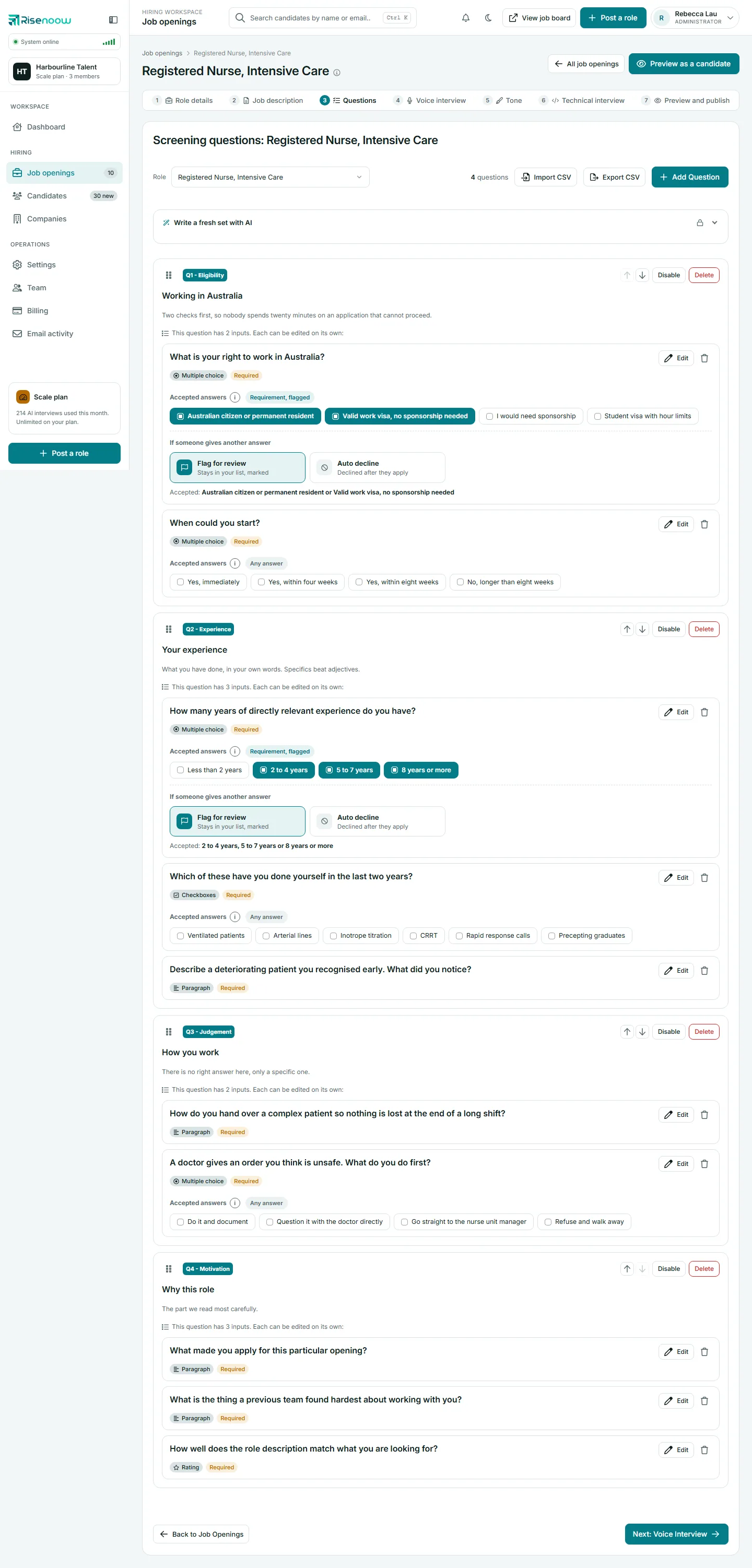
Drag a written question
- Open the role's Questions tab.
- Point at the handle of dots at the top left of a question card. Its tip reads Drag to reorder.
- Press and drag the card up or down. The other cards move out of the way as you pass their middle.
- Let go where you want it. The question numbers update and the new order saves.
Dragging works with a mouse, a touch screen or a pen. A click on the handle without moving does nothing.
Move a question with the keyboard
- Press Tab until the up or down arrow on the question is focused.
- Press Enter or Space. The question moves one place, and focus stays on the same button so you can press again.
- The order saves after each move.
The up arrow is greyed out on the first question and the down arrow on the last. The arrow buttons also work with a mouse, if you prefer clicking to dragging.
How saving works
The whole new order is saved at once, so the list you see and the order candidates get always match. While it saves, the list fades briefly.
If someone else deleted a question while you had the page open, nothing is changed and you are asked to reload the page and move the questions again. If saving fails for any other reason, the page reloads to show the order that is actually saved.
Requirement questions always come first
Candidates are asked questions that carry a requirement before the voice interview, and the rest after it. Within each of those two groups, your order is kept. So a requirement question at the bottom of your list is still asked early. See Requirement questions.
Voice and technical questions
On the Voice interview and Technical interview tabs, use the up and down arrows beside each question to move it earlier or later. Each move saves straight away. There is no drag handle on these lists. The first question has no up arrow and the last has none pointing down.
Reordering many questions at once
For a large change, export the questions as a CSV, reorder the rows in a spreadsheet, and import the file with Replace all. Replacing is only possible while nobody has applied. See Import and export.
Frequently asked questions
Do I need to press Save after reordering?
No. Each move saves on its own.
Why did a question I moved down still appear early for candidates?
It carries a requirement. Requirement questions are always asked first, before the voice interview.
Can I reorder questions after people have applied?
Yes. The new order applies to the next candidates. Answers already given are not affected.
Does the order of questions inside a grouped question change?
No. Moving a question moves the whole card, with every input inside it.