Cover letter tab
The Cover letter tab on a Risenoow candidate record shows the cover letter the candidate wrote for this role, exactly as they typed it. It only appears on applications that include a cover letter, and the AI report and follow up questions take the letter into account.
Where: Candidates in the left menu, open a candidate, then the Cover letter tab
Who can use it: Admins, and recruiters on the roles they can see
Time needed: One or two minutes
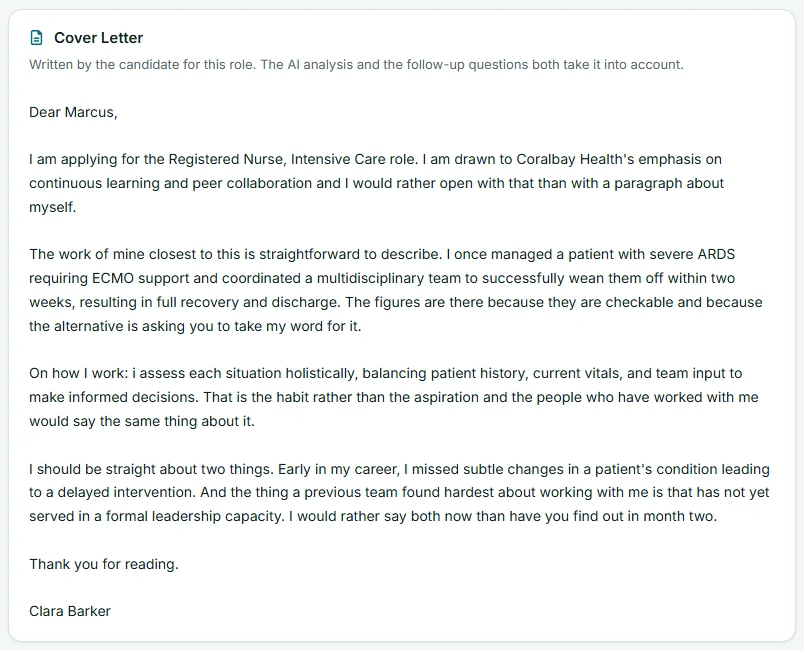
What the tab shows
The card is headed Cover Letter, with the line Written by the candidate for this role. and a note that the AI analysis and the follow up questions both take it into account. Below that is the letter itself:
- in the candidate's own words, with nothing corrected or summarised
- with their paragraphs and line breaks kept
- in a box that scrolls on its own when the letter is long
When the tab appears
The tab appears only when the application carries a cover letter. The application form currently asks every candidate for their name, email address and CV, and no longer asks for a cover letter. So you will mostly see this tab on applications made while a cover letter was still collected. On every other application the tab is left out rather than shown empty.
How the cover letter is used
When there is a cover letter, the AI reads it as part of the candidate's material:
- Written report: the letter is one of the things the report can cite. Like a CV, it is treated as the candidate's claim about themselves, which the interview can support or contradict. See Written report tab.
- Follow up questions: the questions the AI asks after the written questions can pick up on what the letter says. See Follow ups tab.
Good to know
A cover letter is written for one role. When a candidate applies to another of your roles, that application only has a cover letter if they wrote one for it.
How to read it alongside the rest
- Open Candidates in the left menu and select a candidate's name.
- Select the Cover letter tab.
- Note the specific claims the letter makes, such as figures or responsibilities.
- Check them on the Interview tab, or in Against their CV and written answers on the Overview tab.
- Add anything to follow up in Notes for your team.
Frequently asked questions
Why do most of my candidates have no Cover letter tab?
The application form no longer asks for a cover letter, so only applications that include one show the tab.
Can I make a cover letter required on my role?
No. The application form asks for name, email address and CV on every role, and nothing else.
Is the cover letter in the PDF download?
No. The Download PDF file covers the scores, the CV reading, the written report and the written answers. Read the letter on this tab. See PDF and export.
Can the candidate change their cover letter after applying?
No. It is stored with the application as it was submitted.