Requirement questions
Some Risenoow roles ask a few short questions before anything else, about the essentials of the job: your right to work, when you could start, or how much experience you have. They are called requirement questions, and they appear straight after the details screen, before the voice interview and the rest of the questions.
Where: Straight after Start application, under the Role requirements stage
Who sees them: Applicants for roles where the employer set requirements
Time needed: Usually a minute or two

Why they come first
The employer has a few things every successful applicant needs, such as a right to work in the country or a start date within a certain time. Asking these first means you find out early whether the role suits your situation, and nobody spends a long time on an application that cannot go ahead.
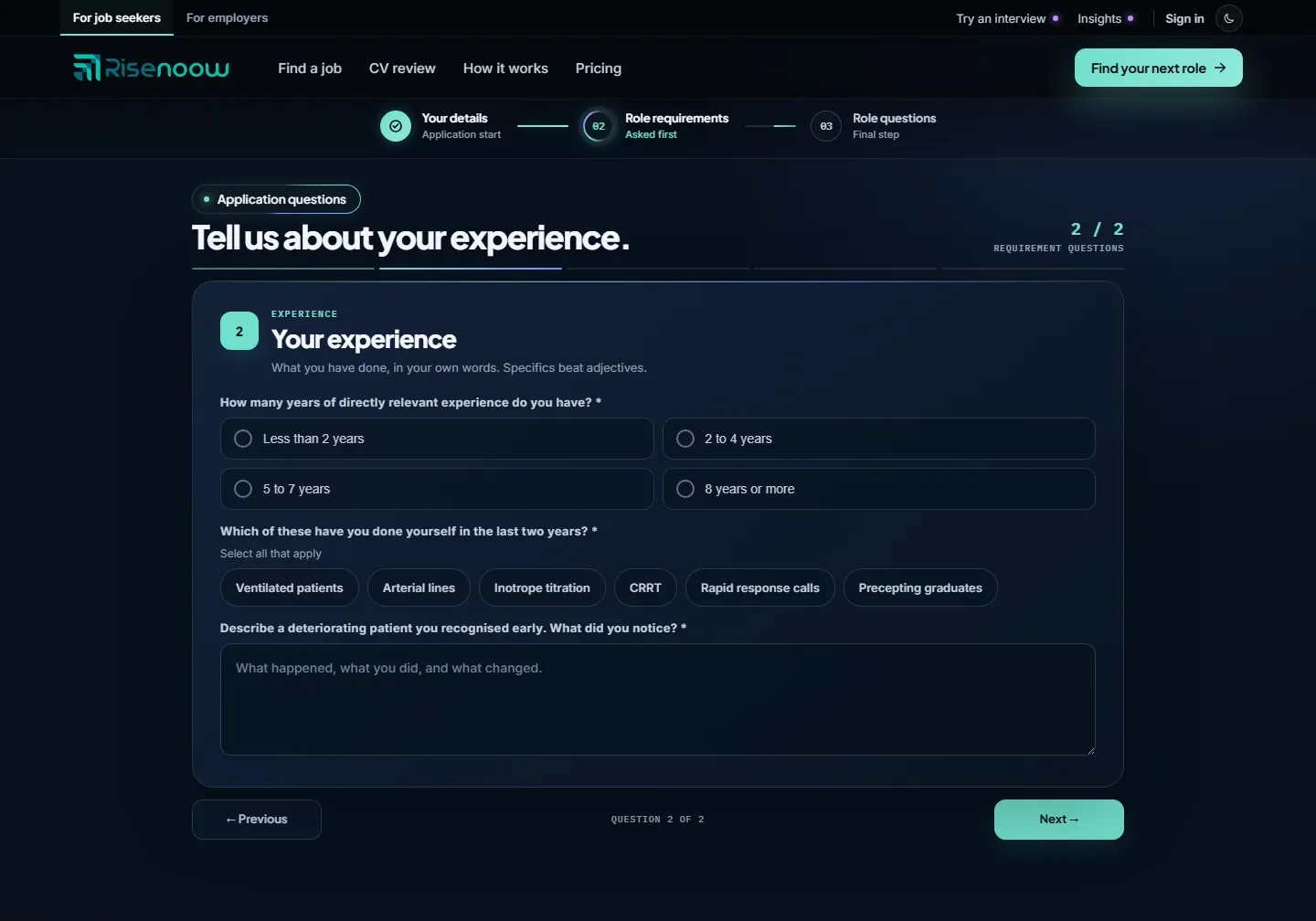
The stage row at the top shows Role requirements with the note Asked first. The header of each card reads Requirement questions, with a counter such as 1 / 2.
How to answer them
- Read the question and the options.
- Choose the answer that is true for you. Some questions take one answer, others say Select all that apply.
- Select Next to go to the following question. Previous takes you back.
- After the last requirement question, select Next to continue to the voice interview or the written questions, depending on the role.
Every requirement question is required. If you select Next without answering, you see "Please answer this question before continuing."
Answer honestly
You are not shown during the application how your answers are judged, and every applicant finishes and submits their application in the same way. This is deliberate. It keeps the process fair for everyone who answers truthfully.
Your answers become part of your application. The hiring team reads them alongside your interview, your written answers and your CV, and an answer that does not match the rest of your application is easy to notice.
Good to know
If none of the options fits your situation exactly, choose the closest honest one. You can explain the detail in the written questions or in the interview.
What happens afterwards
You finish the rest of the application as normal and select Submit. Your answer then arrives by email:
- If your application goes forward, the hiring team reviews it with everything else you sent.
- If the role needs something your application does not show, such as a right to work in the country or a particular qualification, you receive an email saying the application will not go further for this role. It explains the kind of thing the role needs, in general terms, and suggests where to go next.
A decision like this is about one role at one moment. You can apply for other roles straight away, and you can apply for the same role again after 90 days. See After you apply.
Frequently asked questions
Why does Risenoow ask requirement questions before the interview?
So you and the employer find out early whether the role's essentials fit your situation, before you spend time on the interview and longer questions.
Will I be told straight away if my answer does not meet a requirement?
No. Every applicant completes the application the same way. Any outcome reaches you by email after you submit.
Can I change a requirement answer?
Yes, before you submit. Select Previous to go back to an earlier question and change your answer.
Does a declined application stop me applying elsewhere?
No. It applies only to that role. You can apply for any other role at once, and for the same role again after 90 days.